- Introduction to Scratch Game Development 🎮
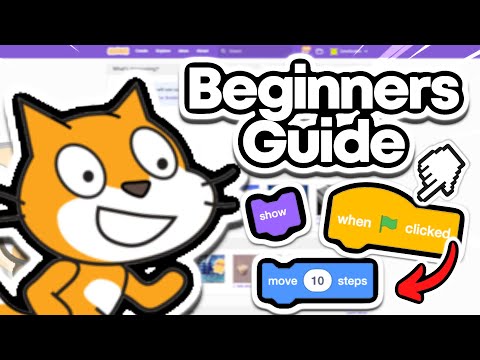
- The video introduces a beginner's guide to creating your first game in Scratch, focusing on the basics for newcomers.
- It explains the importance of creating an account on scratch.mit.edu for saving projects.
- Understanding Sprites and Basic Movements 🐱
- Viewers learn what a Sprite is and how to manipulate its properties like size, position, and direction.
- The demonstration includes using the "when green flag clicked" event to initiate basic movement, such as moving the sprite 10 steps.
- Adding Controls and Game Logic 🎹
- The presenter discusses using keyboard inputs (WASD) to move the sprite up, down, left, and right; emphasizing the conditional loops in Scratch's control blocks.
- The implementation of forever loops to maintain continuous movement while using if blocks to detect key presses is shown.
- Creating Gameplay Elements 🍌
- Viewers learn to add new sprites (like bananas) for collection, introducing basic scoring functionality with the creation of a score variable.
- The mechanics of spawning items at random positions are explained, enabling an engaging collection game loop.
- Integrating Enemies and Death Mechanism ⚔️
- The tutorial includes adding an enemy sprite that can move towards the player sprite, demonstrating how to implement collision detection.
- The concept of broadcasting messages for event triggers (e.g., a "you died" screen) is introduced, along with duplication of game elements to increase complexity.
- Issue Encountered 🍌
- The presenter begins discussing a problem observed in the video.
- Mentions an instance of grabbing a banana that seems to trigger this issue.
- Demonstration 🍌
- The presenter demonstrates by returning to the banana.
- Highlights the weirdness of the interaction during the tutorial.
- Simplification of Action 🍌
- Simplifies the task by focusing on just one banana.
- Continues the demonstration effectively.
- Conclusion 🍌
- Wraps up the tutorial with a light-hearted note.
- Mentions the possibility of a part two and encourages viewers to subscribe.
- Farewell 🍌
- Signs off with a friendly "peace" and thanks the audience for watching.
📬 Never miss a ZonxScratch video — every new upload summarized in your inbox.
Follow free